
Best AI agent to help organize my inbox in 2026: 12 tools tested and compared

If you are searching for the best AI agent to help organize my inbox, you are usually past simple “smart compose” tricks. You want something that can triage, draft, and sometimes take the next step without turning your email into a second job.
My inbox used to be the bottleneck: client threads buried under newsletters, follow-ups slipping, and too much of the morning gone before real work started. That pattern is common. The average knowledge worker spends a large share of the week on email (often cited around 11 hours weekly in workplace research such as Harvard Business Review on email time), and volume keeps climbing (see vendor and industry summaries like Radicati’s email statistics materials).
Folders and manual rules help, but they do not scale. AI email agents (systems that can interpret mail, propose actions, and execute multi-step workflows with guardrails) are the practical upgrade in 2026.
I spent about three weeks connecting real accounts, running controlled tests, and using tools in daily workflows (at least three days each for tools that made the short list). This guide compares 12 options that are most relevant if your goal is inbox organization, not just faster typing.
Quick comparison: 12 AI inbox tools at a glance (as of May 2026)
| Tool | Best for (high level) | Works where | Starts around |
|---|---|---|---|
| Serif | Agent-style workflows inside Gmail/Outlook | Gmail/Outlook | $20/month |
| Superhuman | Speed-first power users | Dedicated client | From $25/user/month |
| Shortwave | AI search + daily planning (Gmail) | Gmail client | Free; paid from ~$7/month |
| Lindy | Cross-app automation from email | Builder + integrations | Free tier; paid from ~$49.99/month |
| SaneBox | Background filtering | Any client | From ~$3.49/month |
| Fyxer | Executive-style assistance | Assistant workflow | From ~$22.50/month |
| Microsoft Copilot | Microsoft 365 teams | Outlook + suite | From ~$18/user/month (plus 365) |
| Gemini for Gmail | Google Workspace teams | Gmail built-in | Workspace pricing |
| Notion Mail | Notion-centric Gmail workflows | Gmail overlay | Free (verify limits) |
| MailMaestro | Outlook drafting + tone | Outlook add-in | Free tier; paid from ~$17/month |
| Canary Mail | Multi-account unified inbox | Multi-provider client | Free; paid from ~$3/month |
| Perplexity | Research-heavy drafting | Agent features (plan dependent) | High-end plans (verify current) |
Note: “Agent” vs “assistant” varies by product and settings. Default safe posture is draft-first and explicit approval before anything sends.
AI email agent vs AI email assistant: what changes what you buy
People swap these terms, but the product category changes.
- AI email assistant: mostly helps you write inside a thread. You still drive triage, filing, and follow-ups.
- AI email agent (in practice): can interpret, route, draft, and sometimes execute multi-step actions (scheduling, reminders, CRM updates) with automation boundaries you configure.
McKinsey’s materials on enterprise AI trends are a useful framing reference for why “agentic” workflows show up in roadmaps: McKinsey State of AI.
Strong inbox agents usually help with:
- Automatic triage (importance, follow-ups, newsletters)
- Smart drafting (on-brand, easy to approve)
- Action taking (calendar, tasks, routing) within guardrails
- Learning signals from what you approve, reject, and move
What makes an AI agent effective for inbox organization?
If your goal is organization, not novelty, score tools on:
- Setup to value: do you get a cleaner inbox in minutes, not days?
- Triage quality: does it hide noise without hiding money or legal threads?
- Automation depth: triage to draft to scheduling, or only one layer?
- Permissions and security: SOC 2 posture, data retention, training policies (AICPA SOC 2 overview)
- Client reality: does it match Gmail-only, Outlook-heavy, or multi-inbox life?
I cross-checked patterns against public review ecosystems like G2 AI email assistant category pages and Capterra. Reviews are noisy, but recurring themes matter: false positives, billing surprises, and “great until it misfiled one important email.”
How I tested
- Connected tools to real inboxes and ran repeatable scenarios (newsletter flood, client thread, scheduling ping-pong, “find this thread later”).
- Scored setup time, triage, draft quality, automation depth, and security claims (what is documented vs what is vibes).
- Prefer draft-first workflows during testing.
Top 12 AI agents (and agent-like tools) for inbox organization
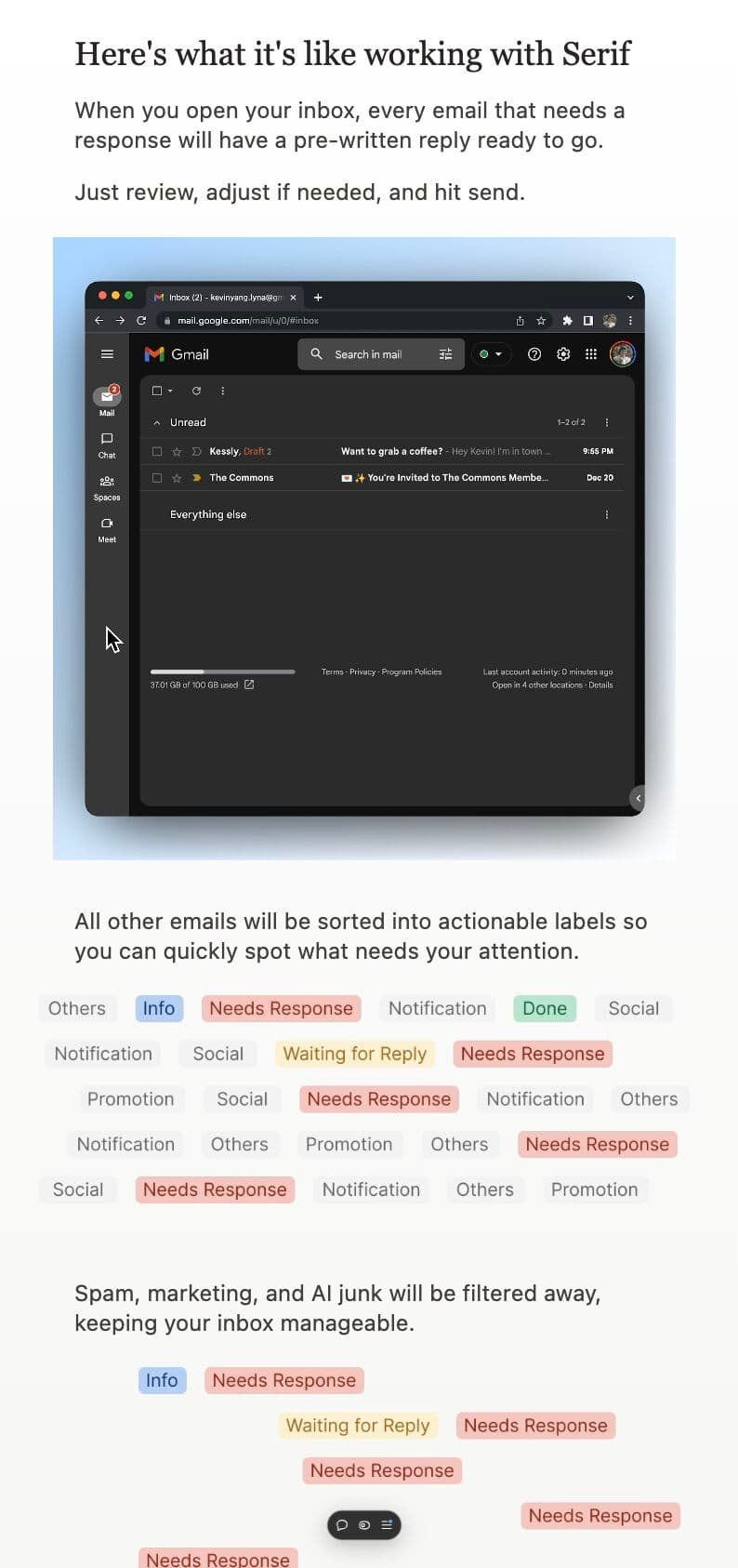
1) Serif: best overall if you want an agent inside Gmail or Outlook
Serif is the closest match if you are hunting the best AI agent to help organize my inbox without migrating clients. It works inside Gmail/Outlook, and the workflow is built around forwarding instructions to assistant@serif.ai (for example “schedule this” or “reply with my rates”), then getting a draft or queued action you can approve.
Why it ranks #1 in this roundup for most founders
- Agent-shaped: it is not only “rewrite this paragraph.” It is built around doing the next step (calendar checks, drafting, queuing for approval).
- Low switching cost: you keep your existing email home.
- Security positioning: Serif publishes a dedicated security page and states emails are not used to train public models (verify the exact wording you are allowed to quote in marketing).
Social proof (verify before you publish claims): Serif highlights customer stories such as Trent Lee and time saved narratives. Treat any “hours per week” number as vendor-reported unless you have a dated case study link on serif.ai.
Pros
- Strong fit for founders and operators who live in Gmail/Outlook
- Clear “instruction by email” mental model
- Pricing is straightforward relative to premium suites
Cons
- Not a replacement for legal review on sensitive communications
- Like every agent, it needs training time (corrections early)
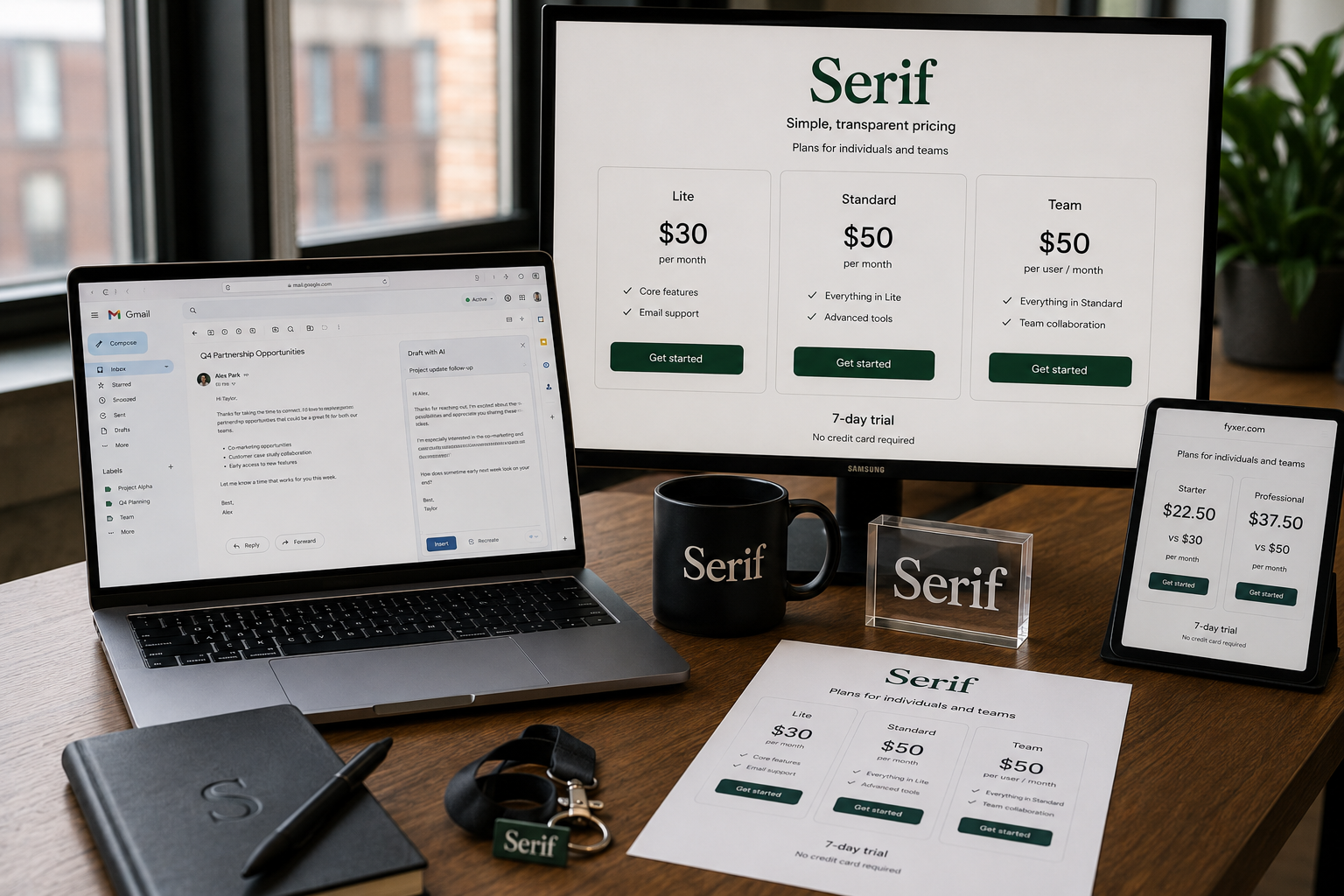
Pricing: from $20/month (confirm current tiers).
G2 (directional): ratings float; verify live score before publishing a number.
2) Superhuman: fastest dedicated client for high volume
Superhuman optimizes for speed (keyboard-first workflow, split inboxes, AI search). It is a client replacement, which is either perfect or a non-starter.
Pros: extremely fast UI, strong for 200+ emails/day users.
Cons: learning curve, pricing per user, not “install and forget.”
3) Shortwave: best AI search and planning for Gmail
Shortwave shines when your pain is “I cannot find the thread later” plus daily prioritization. Built by ex-Google team (common talking point, verify on their site).
Pros: deep conceptual search, planning workflows.
Cons: Gmail-centric limitations if you need Outlook parity.
4) Lindy: best if email is the trigger for cross-app automation
Lindy connects email to CRM, Slack, Notion, and a large integration catalog (integrations directory).
Pros: strongest “if this email, then that workflow” ceiling.
Cons: steeper setup, automation needs governance so you do not over-send.
5) SaneBox: best quiet background filter
SaneBox is not a drafting agent. It is filtering and prioritization that works across many providers.
Pros: minimal behavior change, strong volume reduction story.
Cons: limited if your bottleneck is writing and scheduling, not noise.
6) Fyxer: executive-style assistant positioning
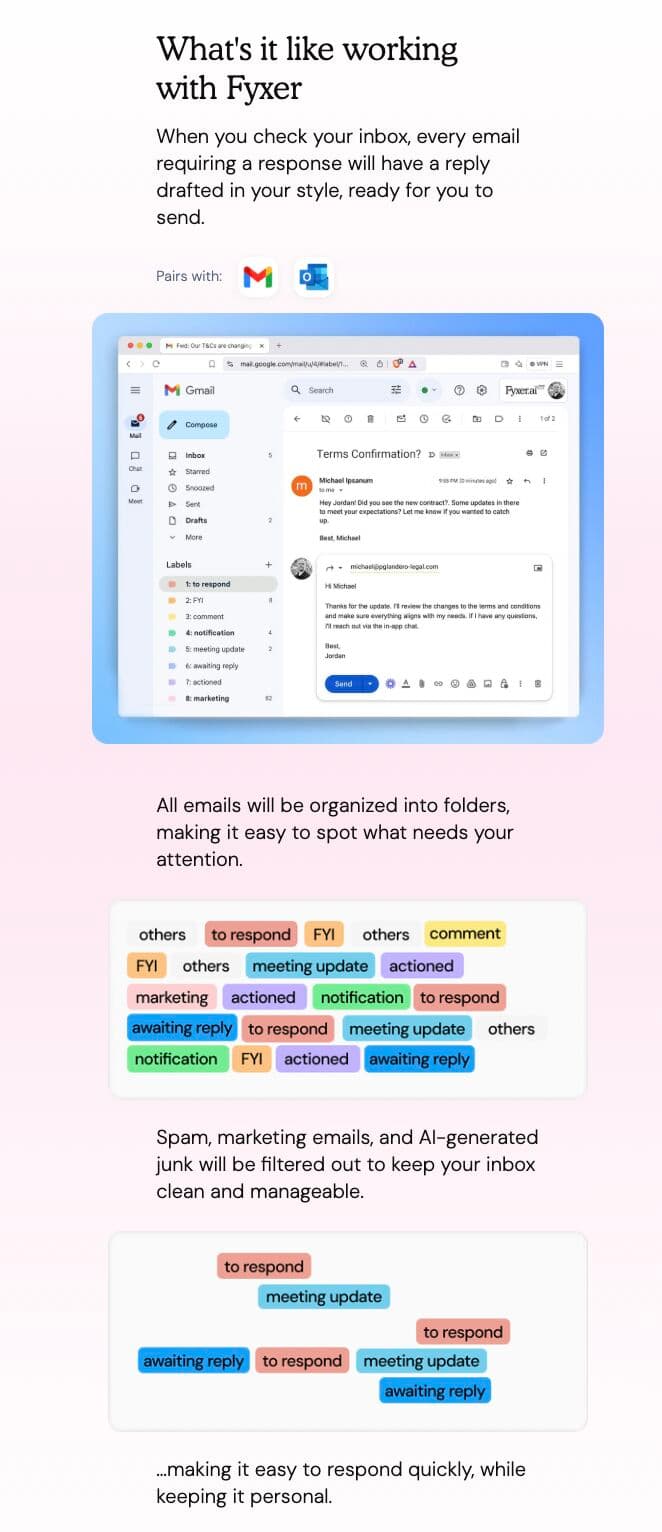 Fyxer blends AI with human-in-the-loop positioning for nuanced inbox work.
Pros: feels “high touch” for busy calendars and complex drafting.
Cons: evaluate cost vs how much you truly delegate.
7) Microsoft Copilot for Outlook: best native option for Microsoft 365
Copilot is the lowest-friction path if your company already lives in Outlook and compliance wants suite-native tooling.
Pros: native Outlook experiences, broad Microsoft surface area.
Cons: licensing complexity, org-dependent rollout quality.
8) Gemini for Gmail: best built-in option for Google Workspace
Gemini in Workspace is the simplest path for Workspace teams that do not want another vendor.
Pros: no new app, familiar admin model.
Cons: less specialized than dedicated inbox agents for deep automation.
9) Notion Mail: best if you live in Notion and want labeled views
Notion Mail is compelling when your system of record is Notion and you want email grouped into structured views.
Pros: strong Notion integration, approachable labeling.
Cons: platform constraints change quickly, confirm Outlook support if you need it.
10) MailMaestro: best tone controls for Outlook drafting
MailMaestro is strongest when the bottleneck is professional drafting more than autonomous triage.
Pros: tone presets, Outlook-native feel, security page for enterprise buyers.
Cons: less “agent autonomy” than Lindy or Serif-style instruction flows.
11) Canary Mail: best unified multi-inbox client
Canary Mail helps if you juggle Gmail, Outlook, and iCloud in one place.
Pros: unified inbox, encryption positioning, bulk cleanup tools.
Cons: “agent depth” depends on how you use Copilot-like features inside it.
12) Perplexity: best when replies need live web grounding
Perplexity can be powerful when your emails require fresh facts (specs, pricing, citations). Pricing tiers change; confirm what includes email workflows on their pricing page before you publish numbers.
Pros: research-forward drafting behavior.
Cons: cost and scope can be mismatched if you only need triage.
Comparative analysis: how the short list splits by job to be done
If you only read one section while choosing the best AI agent to help organize my inbox, use this split:
- “Organize means triage + drafts + actions in Gmail/Outlook”: start with Serif, then compare Lindy if you need cross-app automation.
- “Organize means speed inside one client”: Superhuman or Shortwave (Gmail).
- “Organize means reduce noise silently”: SaneBox plus a drafting tool if needed.
- “Organize inside my existing enterprise suite”: Copilot or Gemini.
User reviews and feedback: what people actually complain about
Public reviews are useful for risk, not hype. Across G2 and Capterra style feedback, the recurring themes are:
- False positives in triage (buried important threads)
- Overconfident drafts (sounds right, subtly wrong)
- Permissions anxiety (what exactly is read, stored, retained)
- Billing surprises (seat math, plan gates, add-ons)
That is why the best rollout is draft-first, narrow automation, and weekly audits of what got filed away.
Use cases: pick by role (practical defaults)
- Founder / dealmaker inbox: Serif (agent workflow without switching clients) + optional SaneBox for noise.
- Sales ops heavy CRM: Lindy (email triggers CRM hygiene) + Superhuman if volume is extreme.
- Microsoft enterprise: Copilot first, then add SaneBox if noise remains the issue.
- Google Workspace team: Gemini first for friction, Shortwave if search is the pain.
- Outlook + tone-sensitive comms: MailMaestro.
- Multi-inbox personal chaos: Canary Mail.
The ROI of AI inbox organization (keep claims conservative)
Productivity stats vary wildly by study design. Treat big percentages as directional, not promises.
Still, the pattern is consistent: teams that deploy AI with clear workflows capture time savings faster than teams that buy tools and skip behavior change (see high-level workforce AI surveys and commentary such as EY Work Reimagined materials) and workplace AI adoption reporting (always verify the primary source before citing a headline number).
Email-specific claims (vendor “90% less spam” style statements) should link to the vendor’s own page and include as of May 2026.
How to choose the right tool (decision shortcuts)
- If you want the best all-around agent for Gmail/Outlook: Serif
- If you process extreme volume and want a speed client: Superhuman
- If AI search is the bottleneck (Gmail): Shortwave
- If email triggers workflows across tools: Lindy
- If you want filtering without changing clients: SaneBox
- If you are already on Microsoft 365: Copilot
- If you are already on Google Workspace: Gemini
- If budget is flexible and research grounding matters most: Perplexity (confirm plan fit)
Implementation tips (so the tool actually works)
- Start with one pain point: triage, search, or drafting. Do not “automate everything” on day one.
- Train early: your corrections for 2 weeks matter more than any launch checklist.
- Keep humans in the loop: especially for client, HR, legal, and investor comms (HBR on AI augmenting work).
- Measure: time to inbox zero, response latency, and hours logged in email (even a simple weekly timer helps).
- Read permissions like a security engineer: SOC 2 reports, retention, training policy, admin controls.
Frequently asked questions
What is the best AI agent to help organize my inbox in 2026?
If you want an agent that works inside Gmail/Outlook and focuses on triage + drafts + next actions with approval, Serif is the best default in this test set for founders and busy professionals. If your pain is pure noise, start with SaneBox. If your pain is Gmail search, pick Shortwave. If you are locked into a suite, pick Copilot or Gemini.
Are AI email agents safe for work email?
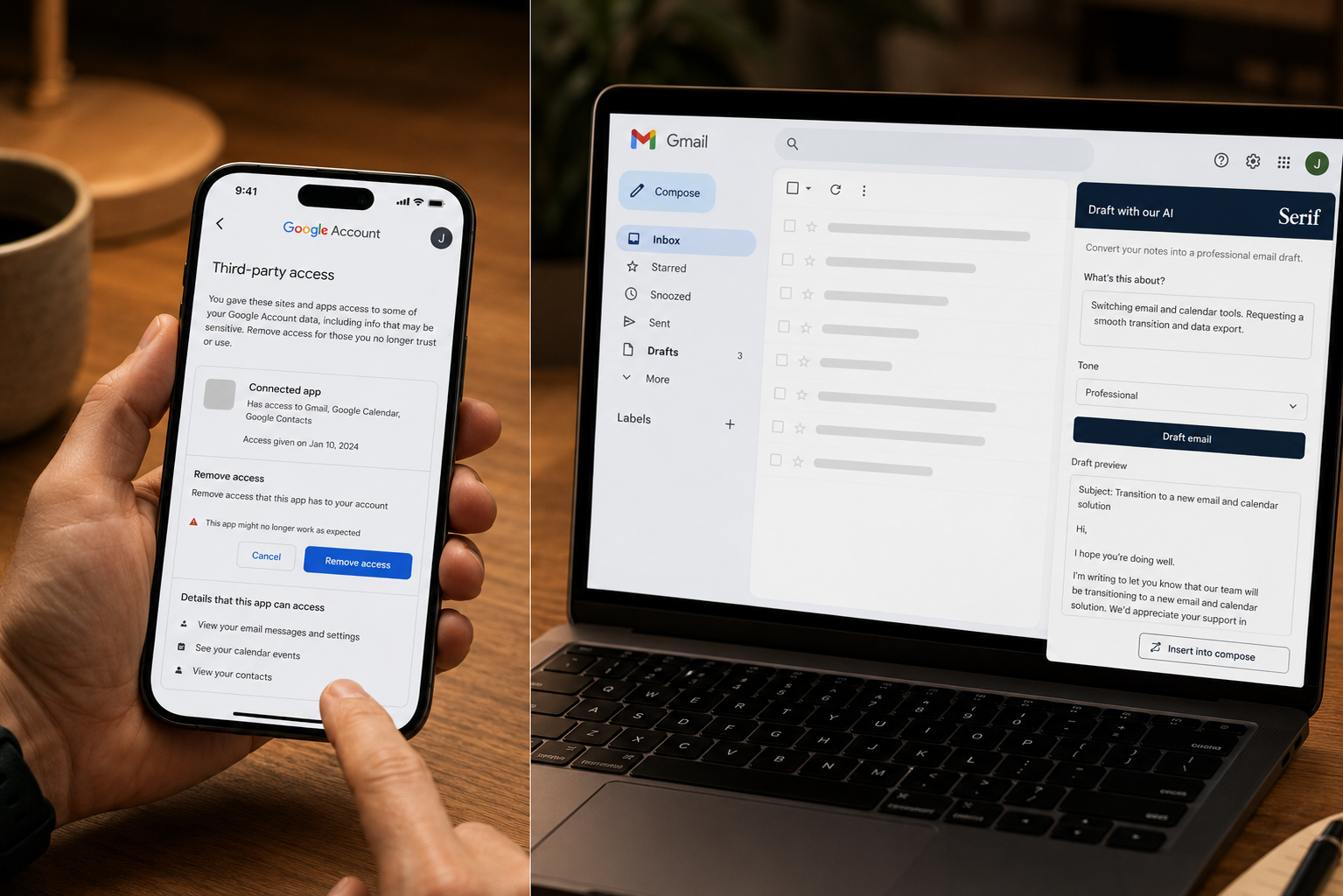
They can be, if you choose vendors with clear security documentation and you use draft-first defaults. Start with Serif security pages (and equivalents for any vendor) and validate against your IT policy.
Will tools send email without permission?
Most reputable defaults are draft-first. Full auto-send is usually optional and should be treated as high risk until you trust triage completely.
Can I use multiple accounts?
Many tools support multiple accounts. Confirm on the plan page (Serif’s account limits live on pricing).
How fast will I see results?
Filtering tools can feel immediate. Agent quality usually improves over 2 to 3 weeks as you correct mistakes.
The bottom line
The best AI agent to help organize my inbox is not the one with the longest feature list. It is the one that reduces decision fatigue with guardrails you trust.
For most readers comparing serious agents in 2026, Serif is the best starting point if you want agent behavior without switching email clients, at a price that is usually easier to justify than premium research suites.
If you are a keyboard-first power user, test Superhuman. If you are a Gmail search maximalist, test Shortwave. If you want less noise with minimal change, test SaneBox.
The goal is not to hand your inbox to automation. It is to remove repetitive triage and drafting so you spend time on the threads that actually move work forward.
Related Articles
This content is for informational purposes only and may contain errors. Please contact us to verify important details.