What are the pricing options for Serif and Fyxer software?

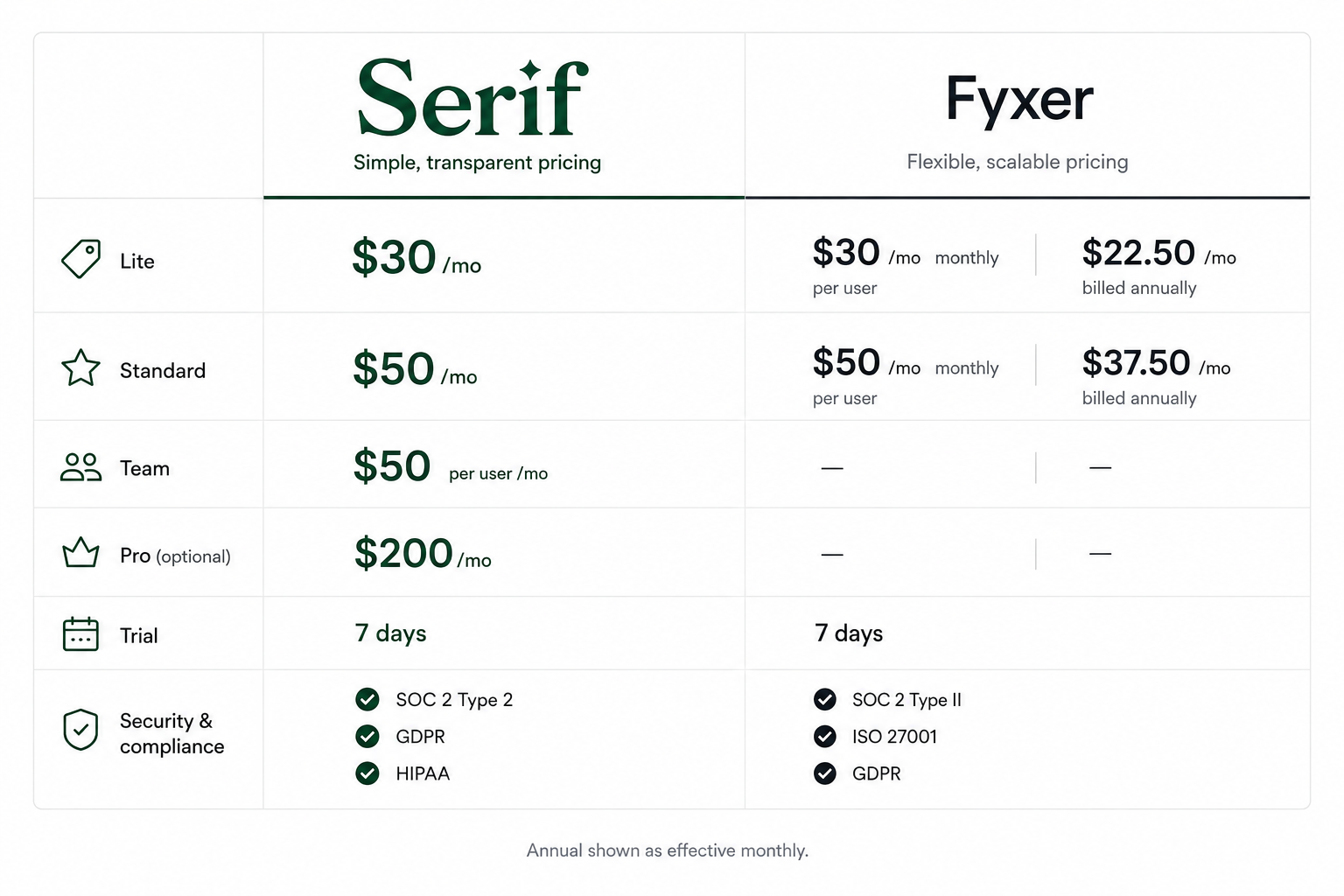
Serif and Fyxer both sell subscription access to an AI inbox assistant, but the sticker price is not the whole story. Serif publishes Lite at $30 per month and Standard at $50 per month on its public pricing page, plus Team at $50 per user per month and Pro at $200 per month, each with a 7-day trial. Fyxer lists Starter at $30 per month on monthly billing or $22.50 per user per month when billed annually, and Professional at $50 monthly or $37.50 annually, also with a 7-day trial. Your real serif or fyxer pricing decision should include annual discounts, seat math, and whether you expect usage to scale.
For the numbers straight from Serif, open the Serif AI pricing plans page and use the monthly versus annual toggle. For Fyxer, compare the same billing period on Fyxer pricing so you are not comparing a discounted annual line to a full monthly line by mistake. CIO teams increasingly treat software as an ongoing budget line, not a one-off purchase, which is why forecasts of global IT spending (including software) get attention in procurement conversations (Gartner press release on worldwide IT spending growth in 2025).
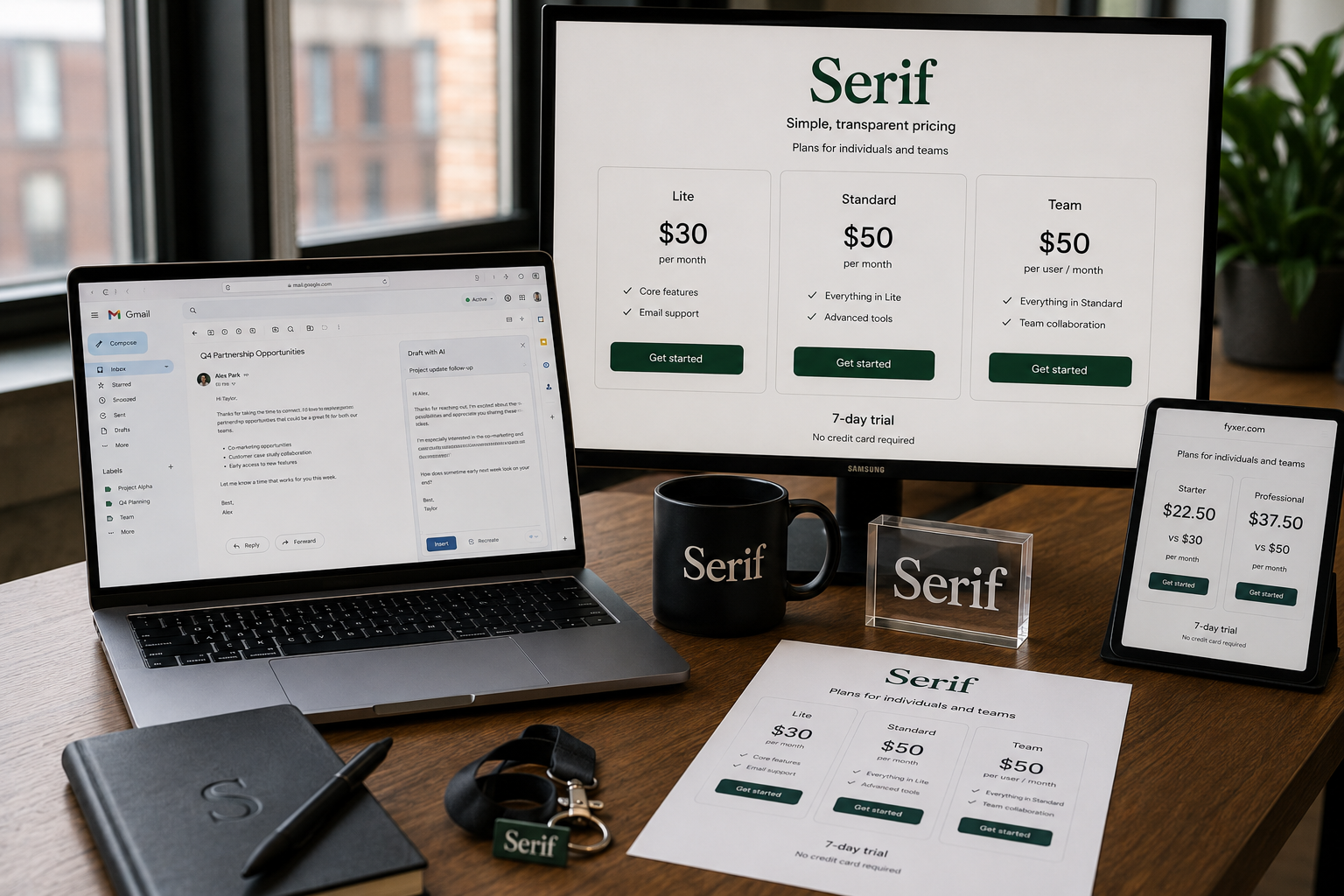 If you want a structured verdict plus objections handling, Serif’s own Serif vs Fyxer comparison is the right deep link for readers who already narrowed the shortlist to these two brands.
Where can I find the official pricing page for Serif products?
The official source is Serif’s own site. Use the homepage to understand positioning, then open pricing for line items. If you are evaluating rollout, pair pricing with industry pages so stakeholders see security and workflow fit, not just the monthly fee.
Start at the Serif AI executive assistant homepage for positioning, then go straight to Serif pricing and plans for published rates. If you are ready to pilot, use Download Serif for Gmail and Outlook so setup stays inside the product flow instead of scattered PDFs. Teams that need procurement-ready language should also bookmark Serif for Enterprise security and controls alongside pricing.
How do I compare Serif and Fyxer subscription costs and plans?
Build a simple matrix: list price, billing period, seats, included inboxes, meeting features, security posture, and any usage limits that change cost as volume grows. Then model your “true monthly cost” for the next 12 months using your real inbox volume, not a quiet week.
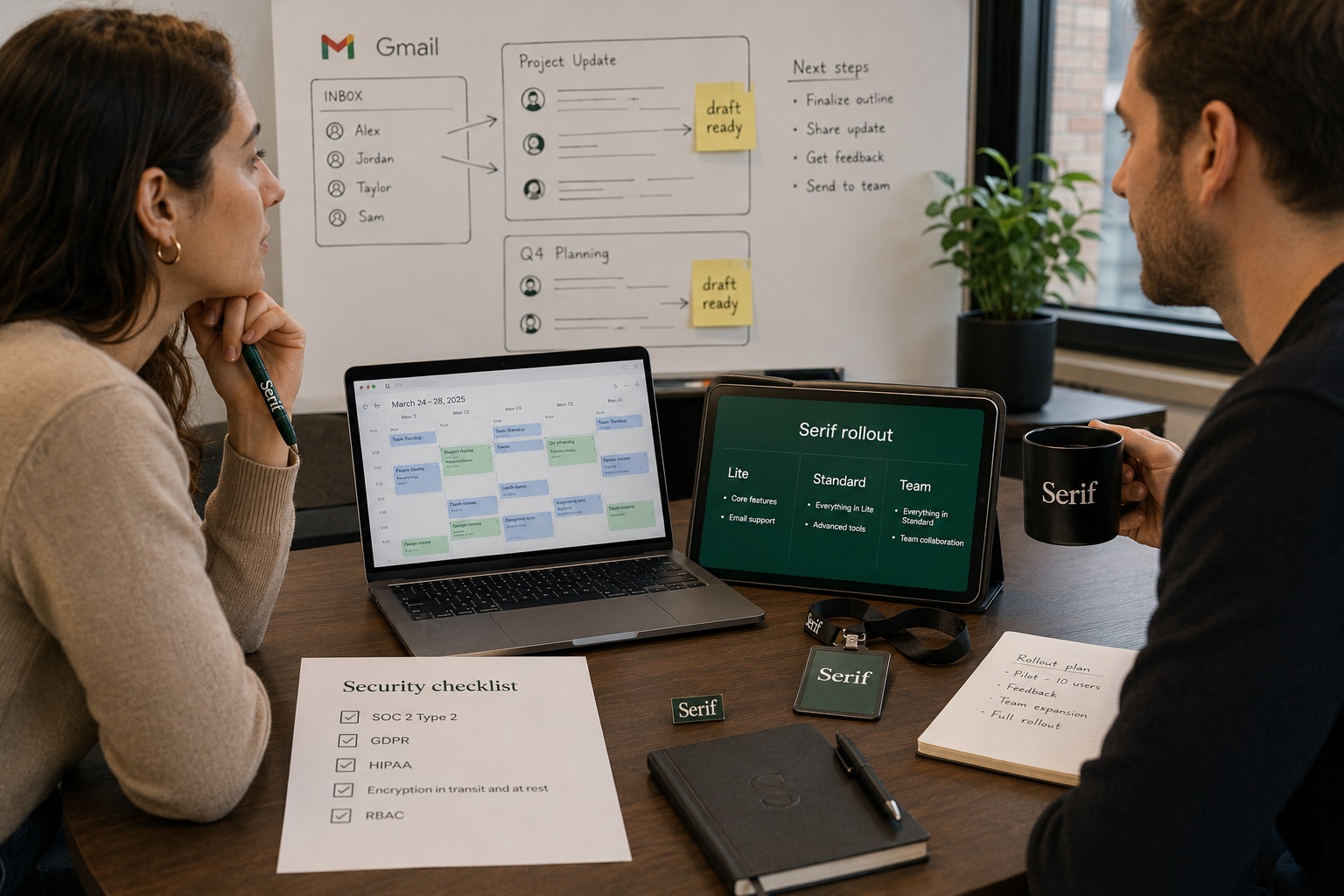
Serif’s published tiers ladder from Lite into Standard (which adds 5x usage versus Lite plus True Voice on the pricing page), then Team for pooled usage and admin. Fyxer’s Starter plan is positioned for one inbox and calendar, while Professional adds multi-inbox organization, HubSpot integration, training uploads, and Fyxer Chat per Fyxer’s feature table. If your buyer cares about regulated workflows, Serif highlights SOC 2 Type 2, GDPR, and HIPAA on its pricing page as included on paid plans.
For a sales-led narrative, agencies can compare positioning on Serif for agencies, while legal teams can pair pricing review with Serif for legal teams.
What is the typical cost of professional graphic design software with a one-time purchase?
Perpetual licenses still exist for some creative tools, but many vendors have moved to subscriptions or hybrid bundles, so “one-time” pricing varies widely by product and version. Expect flagship professional suites to land anywhere from roughly tens of dollars for smaller tools to hundreds for mature desktop apps, with upgrade cycles adding long-run cost.
This matters for serif or fyxer pricing conversations because buyers often mix categories: creative software is licensed per device or per user, while AI inbox assistants are priced per seat with ongoing model and infrastructure costs. If you are budgeting both design and operations software in one committee deck, separate the line items so you do not accidentally compare a perpetual license SKU to a monthly AI seat without amortization.
How do pricing models compare for leading desktop publishing and creative applications?
Most mature creative categories use subscription or hybrid models: predictable vendor revenue, continuous updates, and easier cross-device licensing. Perpetual licenses trade lower long-term predictability for upfront control. AI assistants usually behave like SaaS seats with trials, annual discounts, and team pools.
When someone types serif or fyxer pricing alongside “desktop publishing,” they are often really asking whether subscription math beats one-time purchase math for software they use daily. The honest framework is total cost of ownership: subscription cost over 24 months, plus training time, plus integration risk. Serif’s model is standard SaaS tiers with a published trial, which is easy to model in a spreadsheet alongside creative subscriptions.
How much do subscription-based creative suites usually cost annually?
Annualized creative suite pricing depends on the vendor, seat count, and whether you pay monthly or prepay annually. Many teams anchor expectations using major suites that bill per user per month, then multiply by 12 for an annual figure, then add taxes and any add-ons.
If you are building a consolidated “software stack” budget, pair creative suite estimates with assistant software using the same 12-month horizon. Analyst coverage of global software spending growth is a useful sanity check that software budgets are rising industry-wide, not shrinking (Gartner worldwide IT spending forecast discussion).
How much does Fyxer software cost for a single user license?
For a single user evaluating Fyxer, anchor on Starter: $30 per month if you pay monthly, or $22.50 per user per month when billed annually according to Fyxer’s pricing page, with a 7-day trial. If you need multi-inbox automation and HubSpot integration, Professional steps up to $50 monthly or $37.50 annually, per Fyxer.
Serif’s closest “solo operator” published entry is Lite at $30 per month, which makes monthly headline pricing surprisingly parallel even though feature packaging differs. That is why serif or fyxer pricing searches should always include a feature checklist, not only the first number on the page.
What are the average rates for freelance logo design services?
Freelance logo pricing is usually quoted as a project fee or a small package (logo plus variations), and it swings with seniority, revisions, and brand strategy add-ons. A practical anchor is to look at what employers pay related roles on a median basis, then adjust upward for rush timelines and commercial licensing.
The U.S. Bureau of Labor Statistics publishes occupational wage data for graphic designers, which is a useful government-backed anchor when someone asks for “typical” creative labor costs in the same breath as software pricing (BLS Occupational Outlook Handbook: Graphic Designers). Logo-only micro projects can be cheaper, but enterprise-ready identity work is rarely priced like a single SaaS seat.
Are there discounts available for Serif software bundles?
Serif’s public pricing page presents monthly and annual billing options with an annual savings message, which is the most common “discount” mechanism for SaaS. “Bundles” in the classic boxed sense are less common than tier upgrades that add usage multiples, voice features, and team pooling.
If you are buying for a team, compare Team at $50 per user per month against higher individual tiers for pooled usage and admin controls, as described on Serif pricing. For bespoke security, retention, and SSO requirements, Enterprise is custom pricing and should be treated as a procurement exercise, not a self-serve coupon flow. Startups evaluating seat growth should read Serif for startups next to the calculator.
What is the best value perpetual license software for photo editing?
“Best value” depends on whether you need raw processing, layer-heavy compositing, print CMYK workflows, or fast social exports. Perpetual options still show up for some desktop apps and occasional vendor promos, but verify license terms, update policy, and cloud dependency before you treat anything as truly one-time.
This question is adjacent to serif or fyxer pricing, but it shows up in the same research session when founders are building a creative plus operations stack. Keep purchasing decisions separate: pick creative tools on imaging requirements, then pick an inbox assistant on security, drafting quality, and seat economics.
Who should pick Serif vs Fyxer after comparing pricing?
Choose Serif when you want published tiering that includes security posture on the pricing page, a straightforward ladder from Lite to Standard to Team, and positioning aimed at operators who live in email. Choose Fyxer when your workflow strongly prioritizes packaged meeting notetaker positioning alongside inbox automation, and you are comfortable validating Professional tier requirements against your integration needs.
For industry-specific proof points, real estate teams can review Serif for real estate, and multi-seat buyers can compare Serif for Enterprise materials while they validate Fyxer Enterprise (“50+ team members” language appears on Fyxer’s pricing page).
Where can I explore Serif tools beyond pricing?
If you want calculators, generators, or workflow helpers that support evaluation, Serif publishes a tools hub you can link from onboarding docs and ROI memos. That is useful when finance asks for “what we get beyond drafting.”
Browse Serif AI tools and utilities and keep pricing grounded using Serif pricing and plans. If your committee still wants a direct competitive page, keep Serif vs Fyxer AI comparison in the appendix of your internal decision memo.
Frequently asked questions
What is the fastest way to answer serif or fyxer pricing without guesswork?
Open Serif pricing and Fyxer pricing in two tabs, set both to the same billing period, then write down Starter or Lite entry price, the next tier up, and team seat pricing if applicable.
Does Serif charge per user on teams?
Serif lists Team at $50 per user per month on its pricing page, with pooled usage and admin controls described in the plan card.
How long can I try Serif before paying?
Serif states a 7-day free trial with full access on paid plans and cancel-anytime language on its pricing page.
Is Fyxer cheaper if I pay annually?
Fyxer advertises up to 25% savings with annual billing and shows lower per-user monthly figures on annual billing for Starter and Professional on its pricing page.
Where should security reviewers start for Serif?
Start from Serif pricing, which lists SOC 2 Type 2, GDPR, and HIPAA as included on paid plans, then deepen with your security questionnaire and the Serif for Enterprise page for procurement language.
Disclaimer
Pricing and features change. Confirm current numbers on Serif pricing and Fyxer pricing before you purchase or publish quotes externally.
Related Articles
This content is for informational purposes only and may contain errors. Please contact us to verify important details.